Integration

SwiftCX
Add the SwiftCX chat widget to your published GitBook content.
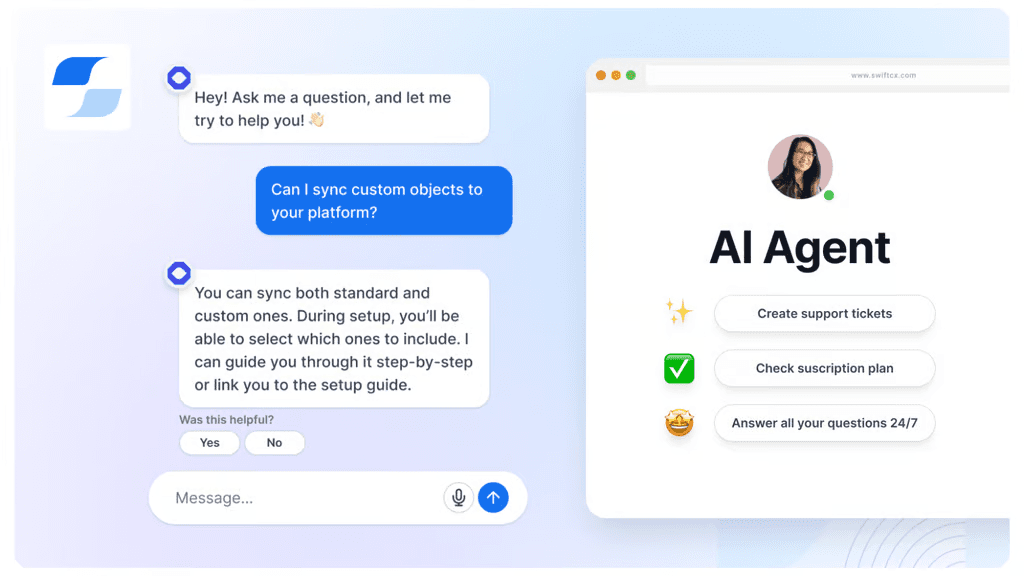
Overview
The SwiftCX integration for GitBook allows you to display the SwiftCX chat widget on your public documentation to connect and interact with your readers.
How it works
Automatic chat widget on your documentation: Each of your connected GitBook spaces will fetch the SwiftCX chat widget script and inject it in your published content.
Configure
You can configure the integration on single or multiple public spaces by navigating to the integrations in sub-navigation or org settings. You will then have to provide configuration values to finish the setup.


“We can use our documentation for prospects, not just customers. Finding a certain page in Google is just way easier with GitBook.”
Roman Musatkin
,
Head of Product & Design
Swarmia
“We can use our documentation for prospects, not just customers. Finding a certain page in Google is just way easier with GitBook.”
Roman Musatkin
,
Head of Product & Design
Swarmia
“We can use our documentation for prospects, not just customers. Finding a certain page in Google is just way easier with GitBook.”
Roman Musatkin
,
Head of Product & Design
Swarmia
Accurate docs. Better answers.
Your docs are already feeding AI. Are users getting the right answers or the wrong ones?
Accurate docs. Better answers.
Your docs are already feeding AI. Are users getting the right answers or the wrong ones?
Accurate docs. Better answers.
Your docs are already feeding AI. Are users getting the right answers or the wrong ones?
Product
Create & Publish
Solutions
Resources

© 2026 Copyright GitBook INC.
440 N Barranca Ave #7171, Covina, CA 91723, USA. EIN: 320502699
Get an AI summary




The State of Docs Report 2026
State of Docs brings together insights from documentation experts from across the industry

Product
Create & Publish
Solutions
Resources
© 2026 Copyright GitBook INC.
440 N Barranca Ave #7171, Covina, CA 91723, USA. EIN: 320502699
Get an AI summary
The State of Docs Report 2026
State of Docs brings together insights from documentation experts from across the industry
Product
Create & Publish
Solutions
Resources
© 2026 Copyright GitBook INC.
440 N Barranca Ave #7171, Covina, CA 91723, USA. EIN: 320502699
Get an AI summary
The State of Docs Report 2026
State of Docs brings together insights from documentation experts from across the industry