Tutorials & tips
Published:
24 Jul, 2023
Updated:
23 Apr, 2026
What is technical documentation? Examples, templates and how to write it


AI summary
Technical documentation is essential for clearly explaining software products, systems, and internal processes to developers, customers, and teams. By prioritizing reader goals, maintaining accurate and scannable content, and regularly updating documentation, organizations can improve product adoption, preserve team knowledge, and reduce support burdens.
Technical documentation helps people build, use, maintain, and troubleshoot software. It doesn’t just help developers, customers, and internal teams understand what you built — it also gives them the context they need to move faster with less guesswork.
In this guide, you’ll learn more about what technical documentation is, why it matters, the main technical documentation types, and how to write great technical documentation. You’ll also see technical documentation examples, a practical checklist, and free templates to help you get started — as well as some recommendations for the best documentation tools.
What is technical documentation?
Technical documentation is written content that explains a product, system, API, process, or codebase. It can include product documentation, developer documentation, software documentation, and internal process docs.
In practice, technical documentation helps people answer three questions fast:
What is this?
How does it work?
What do I do next?
The best technical documentation is clear, specific, and easy to scan. It gives the reader the right level of detail without burying the answer.
Technical documentation explains how a product, system, or process works — and how to use it effectively.
Technical docs are most common in the software industry. Technical writers often lead the work, but developers, product managers, support teams, and subject matter experts will usually also contribute.
Who is technical documentation for?
Technical documentation can support many audiences. It can cover public documentation for your customers, guides that help people adopt new features faster, or even internal knowledge for your team.
Most technical documentation serves one or more of these groups:
Developers need API docs, architecture notes, SDK guides, and source code documentation.
Customers need setup guides, tutorials, troubleshooting steps, FAQs, and release notes.
Internal teams need PRDs, RFCs, runbooks, design system rules, and process documentation.
Tip: If you’re writing for beginners, spell out unfamiliar terms, avoid unnecessary jargon, and add a glossary when it helps. If you use an acronym, write it out the first time and include the acronym in brackets for future reference.
Why is technical documentation important?
Technical documentation does more than explain a product. It improves adoption, reduces friction, and helps teams scale knowledge.
Help people succeed faster
Clear documentation helps developers build faster, customers self-serve, and teammates make decisions with confidence. It reduces guesswork at every stage — which helps improve customer success and retention.
Reduce support load
When people can find accurate answers on their own, your support team spends less time answering the same questions over and over. Good troubleshooting content and FAQs have a direct impact here, reducing the support burden.
Preserve team knowledge
Teams and products never stand still. Documentation protects context about your tool that could otherwise disappear in chat threads, old tickets, absent team members, or someone’s memory.
Improve trust and adoption
Documentation shapes the product experience for your users. If your docs are clear, up-to-date, and easy to search, your product feels easier to adopt.
Technical documentation types
Most technical documentation falls into one of three buckets: process documentation, product documentation, developer documentation, and process documentation.
Product documentation
Product documentation helps customers use your product. It focuses on tasks, workflows, troubleshooting, and feature education — rather than the development process behind the product.
The content of your product documentation will be very different depending on your product and user base. It may include a lot of very technical information, or be easily accessible if your product is more consumer-focused.
Common product documentation examples include:
User guides, manuals, and knowledge bases
These docs help people understand and use features, complete tasks, and solve common problems without waiting for support.
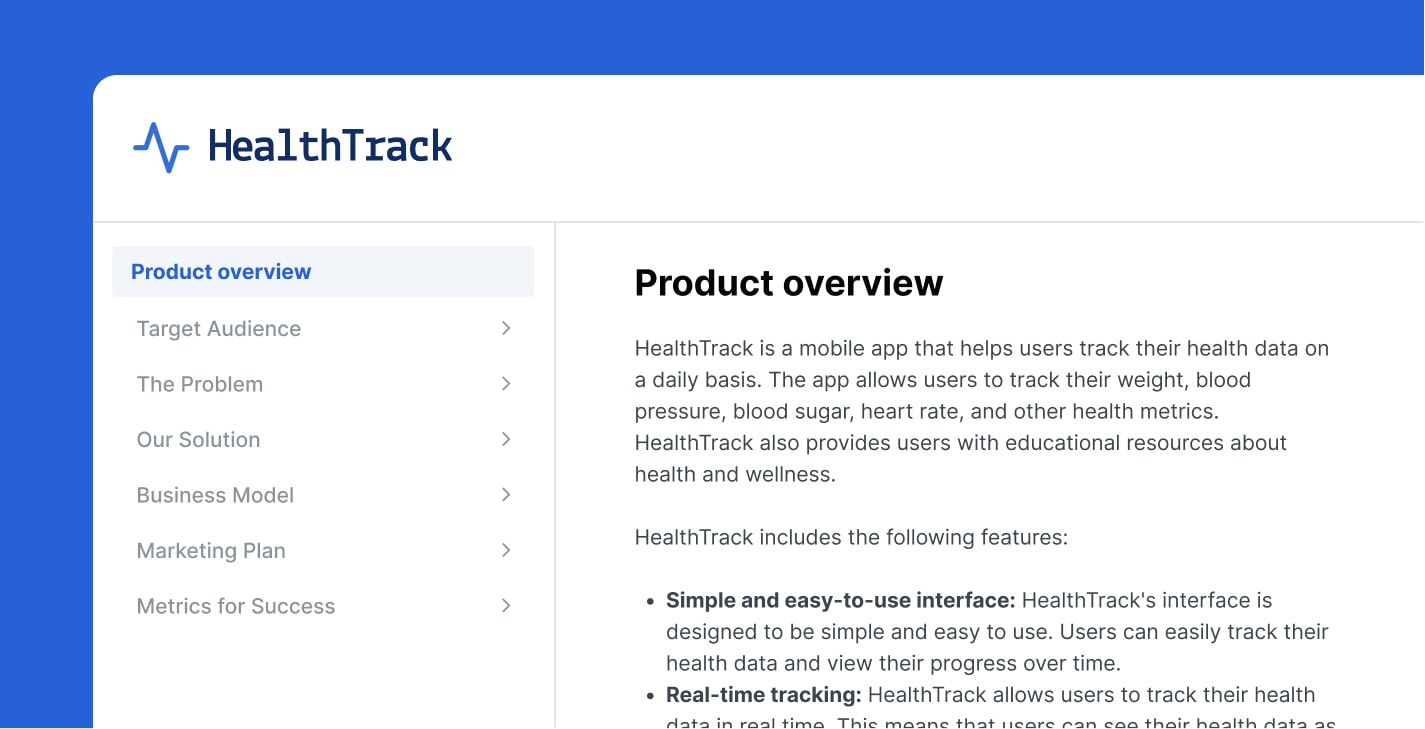
Troubleshooting docs and FAQs
Troubleshooting and help center content helps people diagnose problems, recover quickly, and keep moving. It’s one of the highest-value documentation types for self-service support, and typically includes common FAQs and error resolution guides.
Release notes
Release notes explain what changed, what improved, and what people need to know after an update. They also give you a historical record of product changes.
Developer documentation
Developer documentation helps technical readers build on top of your product or work directly with your systems. They will vary in style depending on what your product offers — such as APIs and SDKs.
API documentation
API documentation explains endpoints, authentication, inputs, outputs, errors, and common workflows. Strong API docs also include code samples, quickstarts, and use-case driven examples.
The best API documentation also includes interactive playgrounds that let users run endpoint tests right on the page, without needing to switch to another tool.
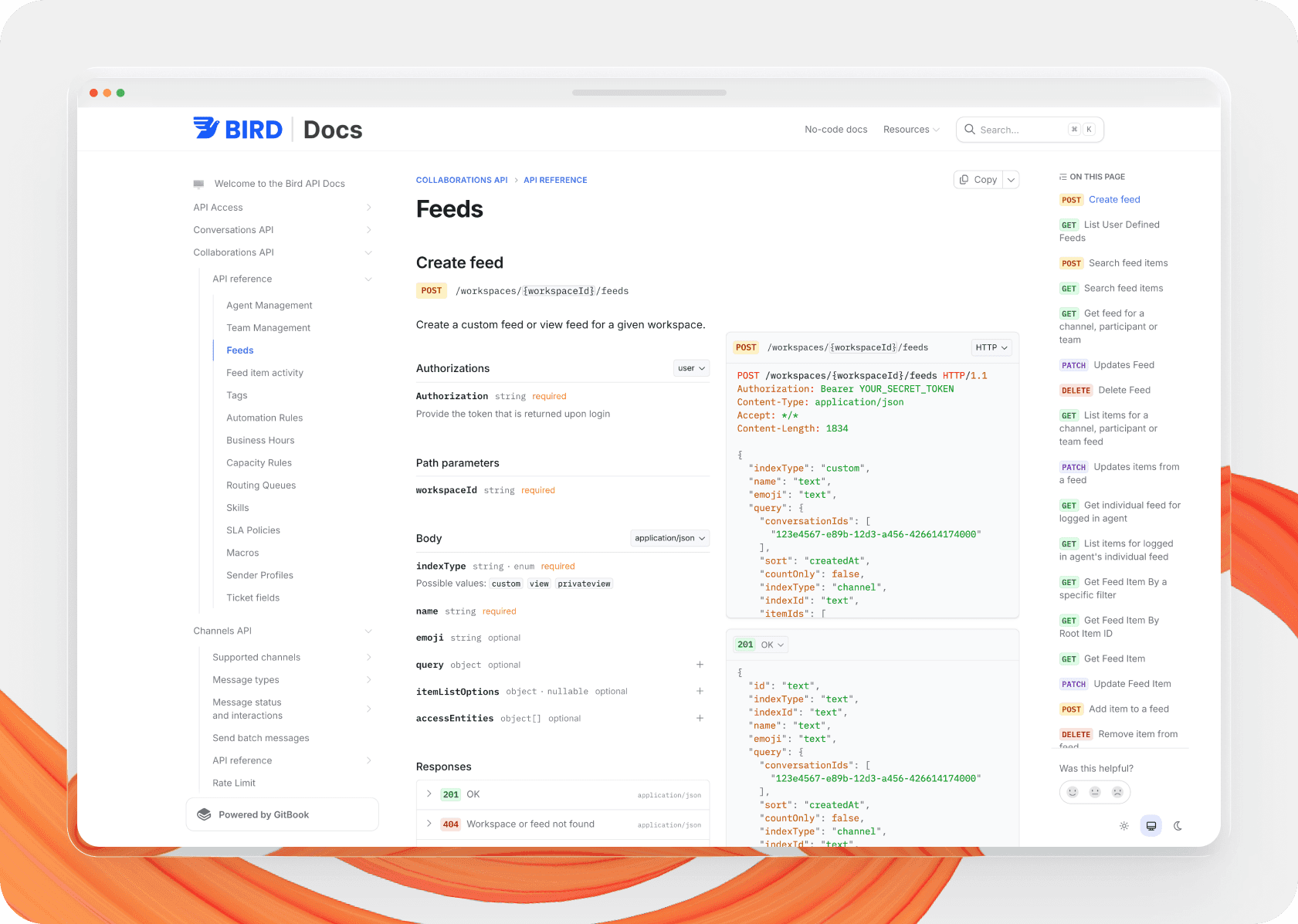
An example of API documentation from Bird
SDK and integration guides
These guides show developers how to connect your product to other tools, frameworks, or services. They work best when they follow a real task from start to finish.
Architecture and infrastructure docs
Architecture documentation explains how systems fit together. It helps engineers troubleshoot, onboard, and make safer technical decisions.
Process documentation
Process documentation explains how your team plans, builds, reviews, and maintains work. It’s usually internal, and it plays a big role in the software development lifecycle (SDLC).
Here are common process documentation examples:
Project plans
Project plans map the work, milestones, owners, and dependencies behind a project. They map out the development process for everyone, and help teams stay aligned from kickoff to launch.
Product requirements documents (PRDs)
PRDs define the problem, scope, requirements, and success criteria for a product or feature. They help design, engineering, and go-to-market teams work from the same source of truth.
Product roadmaps
A product roadmap is a shared document that tracks a product’s direction, priorities, and progress over time. It helps teams understand what’s coming next and why it matters.
Request for comments (RFCs)
RFCs help teams propose technical ideas, gather async feedback, and document decisions. They’re especially useful when multiple teams need to review tradeoffs before work starts.
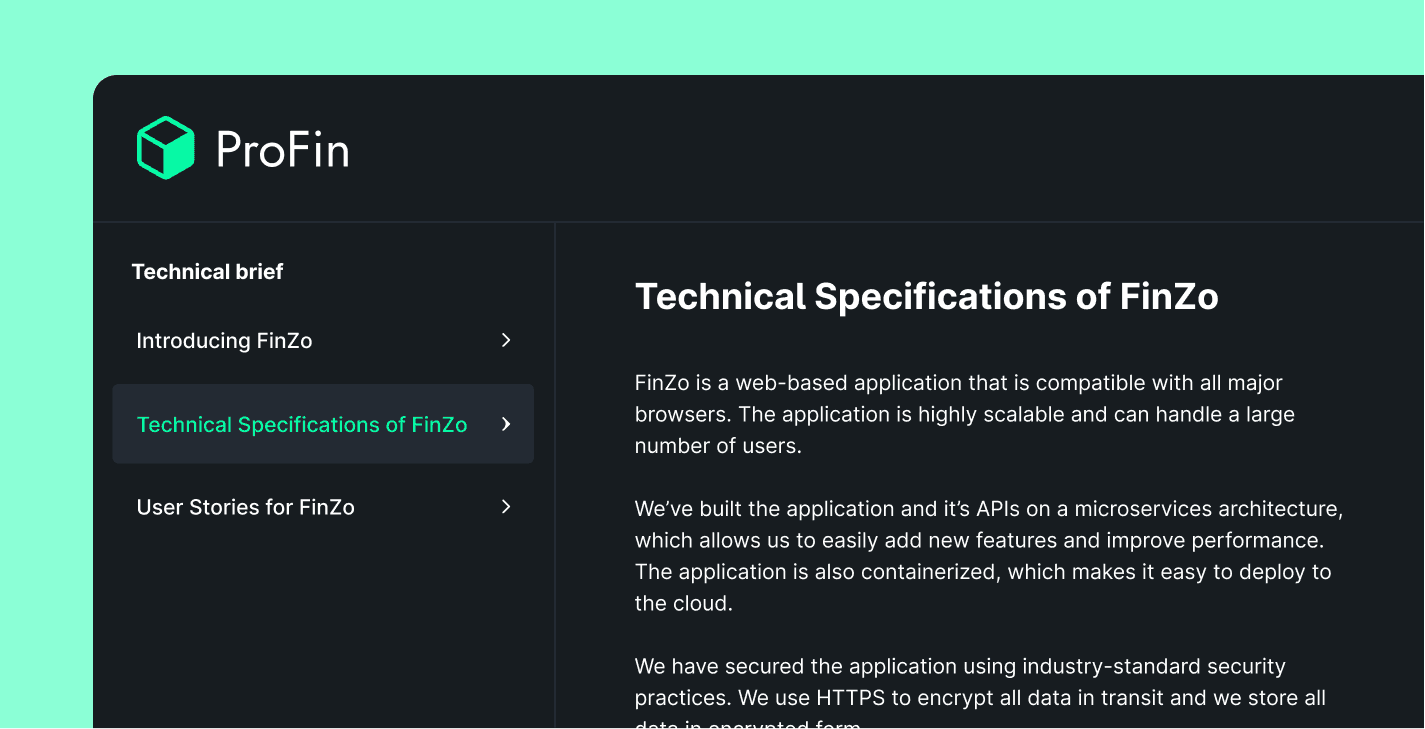
Technical briefs
A technical brief outlines a project’s goal, responsibilities, tasks, review stages, and deadlines. It helps teams align early and move with less confusion.
Design system documentation
Design system documentation defines shared components, patterns, rules, and specific usage guidance. It keeps designers and developers aligned as the product grows.
Source code documentation
Source code documentation explains complex logic, architecture choices, and implementation details that might not be obvious from code alone. This is especially valuable for growing engineering teams and documentation for open source projects that may have a large number of contributors.
What should technical documentation include?
The best technical documentation answers the biggest questions fast, then supports the reader with the detail they need next.
A strong technical documentation page usually includes:
A clear purpose – Explain what the page covers in the first few lines and/or the page’s description.
The intended audience – Say who the content is for — especially when the answer isn’t obvious.
Prerequisites – Call out the required access, tools, versions, or background knowledge.
Step-by-step instructions – Break down tasks into a logical sequence and don’t skip any steps.
Examples – Add screenshots, commands, code samples, or sample workflows whenever they help reduce ambiguity.
Troubleshooting guidance – Include common errors, edge cases, and next steps for overcoming or solving them.
Links to related docs – Help readers continue the journey without needing to search or asking support.
Ownership and maintenance – Make sure someone updates the content when the product changes.
If you’re creating software documentation at scale, consistency matters as much as completeness. That’s why reusing the same structure across guides helps readers learn your docs faster.
How to write technical documentation
Good technical writing starts with the reader’s goal. Your job when creating technical documentation is to remove friction between their question and the solution.
1. Start with the audience and the goal
Define who the page is for, what they’re trying to do, and what success looks like. This sets the right level of detail from the start — and helps you realign if your approach starts to drift as you work.
2. Gather accurate source material
Strong technical writing depends on accurate inputs. If you don’t know all the details yourself, pull information from product specs, code, support tickets, subject matter experts, and existing docs before you start drafting.
Ask questions like:
What problem does this documentation solve?
What task does the reader need to complete?
What information is essential?
What examples or screenshots would remove ambiguity?
Is there existing documentation we can update instead of duplicating?
Related: Quick tips to improve your technical writing workflow in GitBook
3. Plan a search and AI-friendly structure
Use headings that match the questions people actually search for. Group related topics together, and keep each page focused on one job, workflow, or concept.
Think about how to break your product or software into clear topics and subtopics. A documentation platform with code blocks, structured navigation, and built-in search and AI chatbot tools makes this much easier. Tools like GitBook off this and more out of the box.
4. Write clearly and get to the point fast
Lead with the answer, then expand with all the context, examples, and edge cases the reader needs.
Technical writing works best when it sounds natural but stays precise. So use short sentences, direct language, and consistent terminology to help readers move faster.
Tip: Read complex or difficult sections out loud to yourself after you’ve written them. If a sentence feels heavy or too long, rewrite it in simpler language. A great rule of thumb is: write like you speak. Your writing should sound the same as if you were explaining the topic to someone in person.
5. Add examples, visuals, and real workflows
Examples turn abstract explanations into usable documentation. So include screenshots, diagrams, code samples, or sample scenarios when they help the reader act with confidence.
6. Review with subject matter experts
Reviewing documentation is part of the writing process, not the last-minute cleanup step. Ask technical teammates to validate accuracy, and ask strong writers or editors to improve clarity and flow.
A good content review checks:
Accuracy
Completeness
Clarity
Terminology
Broken steps, links, or examples
7. Publish, measure, and improve
Once the page is live, track how it performs. Look at engagement, search behavior, support signals, and page analytics to see where people still get stuck.
Regularly check your content’s analytics to spot pages that need work. This helps you improve underperforming guides instead of guessing.
If your site offers a built-in AI assistant, you can also analyze what your users are asking it and whether it’s successfully answering their questions to find knowledge gaps.

8. Keep it current
Technical documentation is never finished — and its easy for it to drift out of sync with your product. Every product update, workflow change, and deprecated feature creates new maintenance work.
Build a docs review into your release process. That’s the best way to keep software documentation accurate over time.
Free technical documentation templates
If you need a technical documentation template, it’s often faster to start from a proven structure than from a blank page. GitBook offers documentation templates for common use cases, including product docs, API docs, help center docs and more.
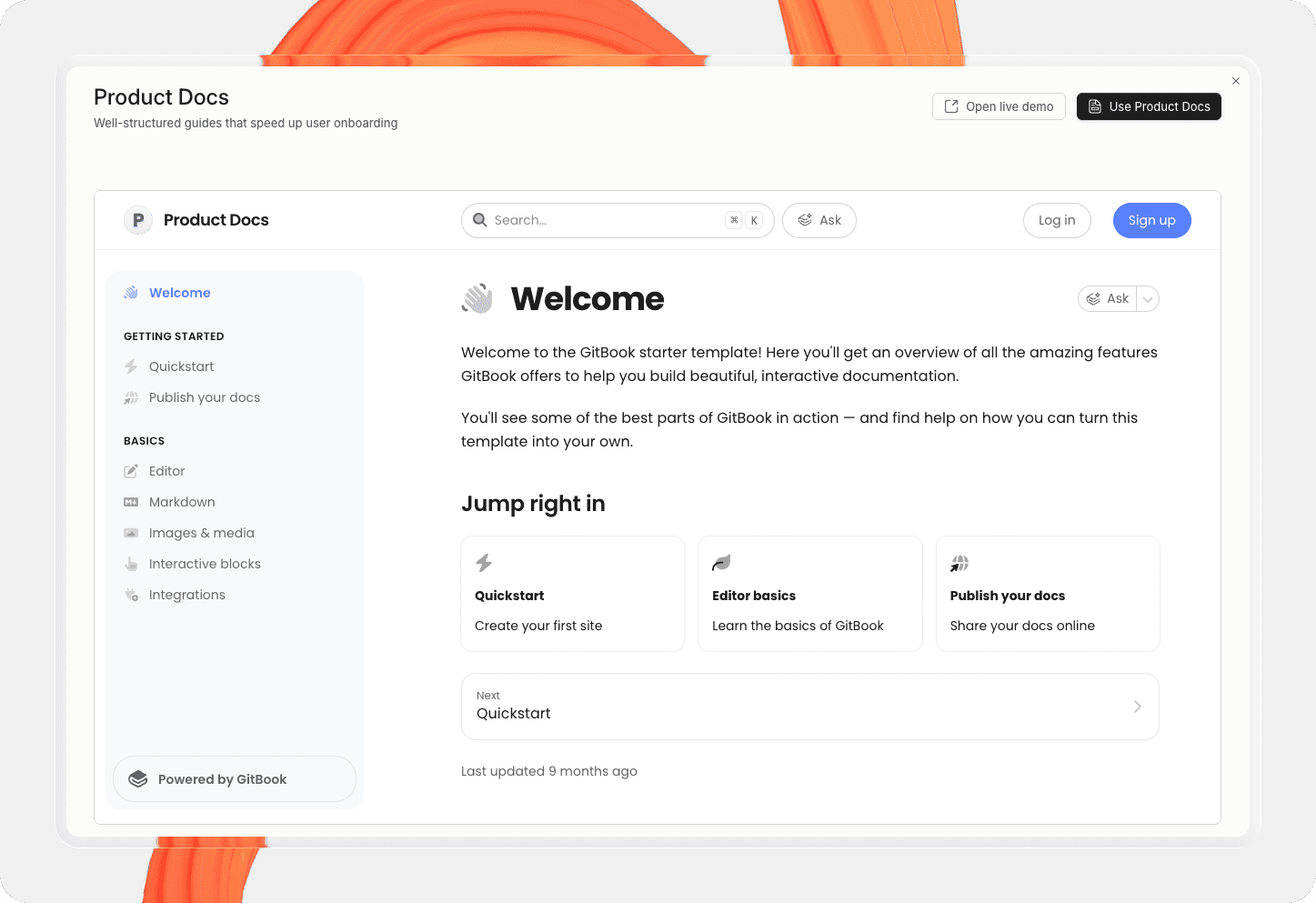
Product documentation template
This product docs template includes tables, code blocks, images, and video embeds. It’s already organized into sections so you can start writing faster, with many different blocks demonstrated.
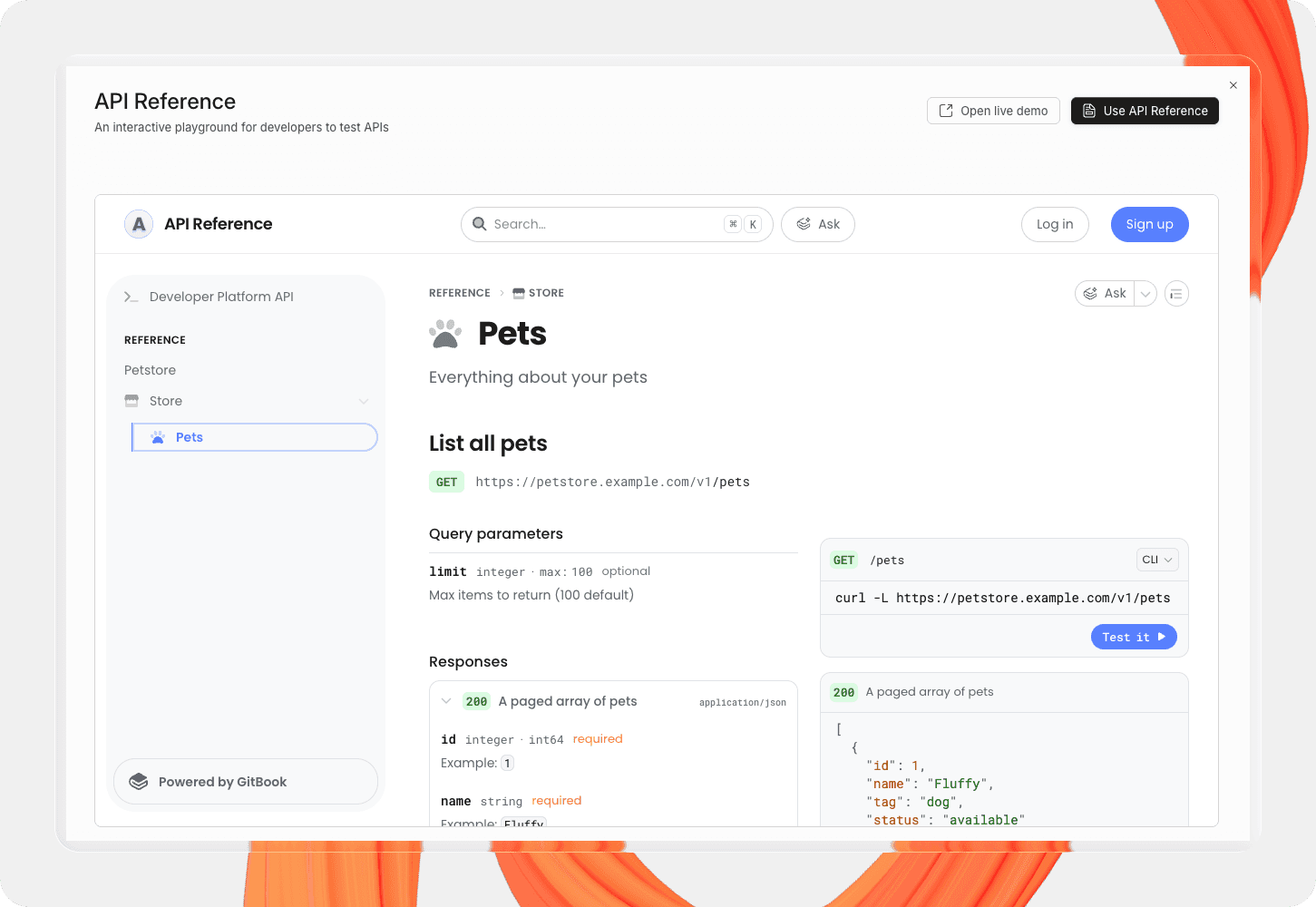
API documentation template
The API docs template gives you a strong starting point for reference docs and developer documentation. It includes buttons, tabbed code blocks and interactive API endpoints to help you present your API clearly.
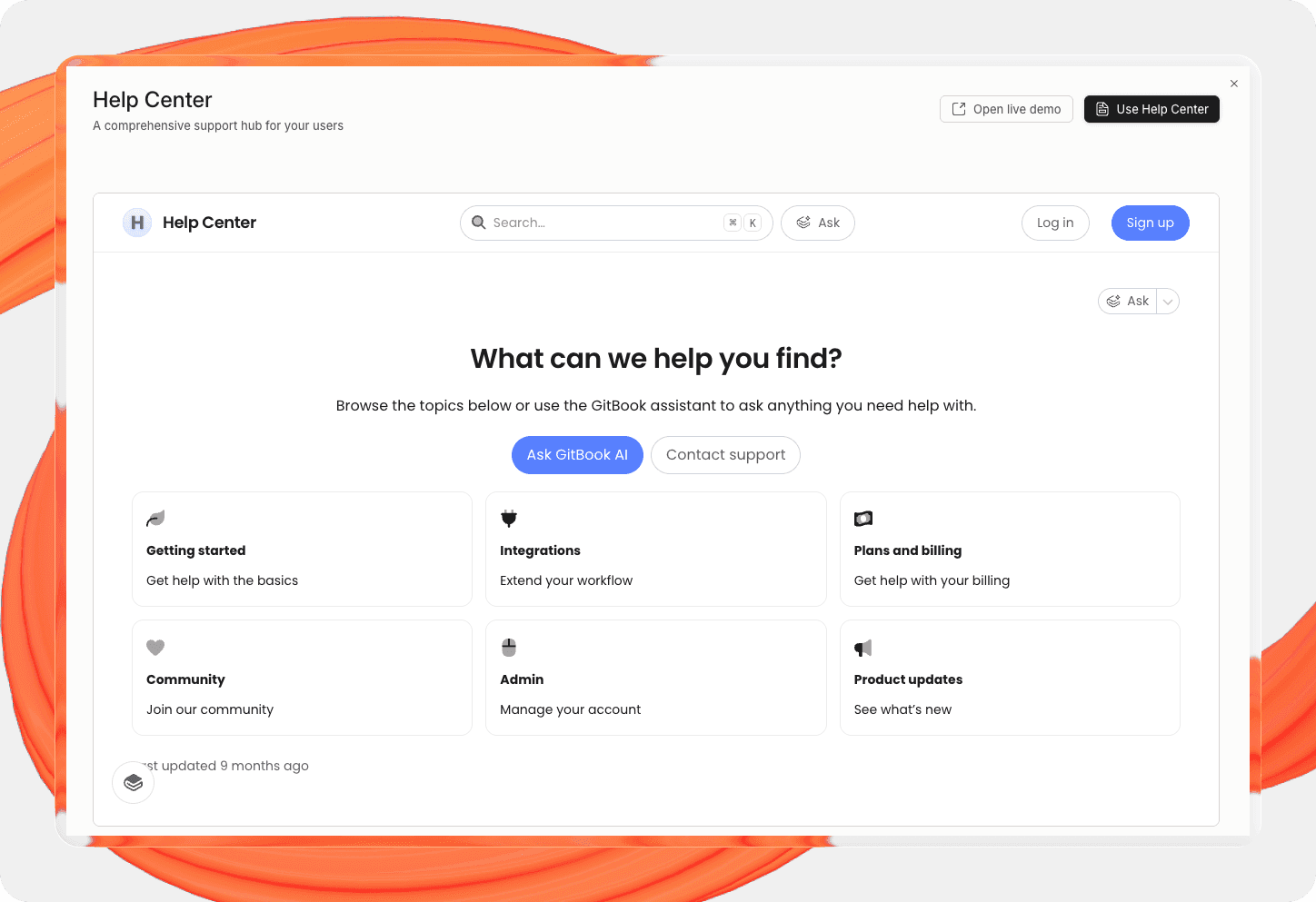
Help Center template
The Help Center template is designed for support content that helps customers solve common issues fast. It gives you a landing page with links to different topics, with a clean structure for FAQs, troubleshooting guides, and help articles, so you can build a self-serve support hub from day one.
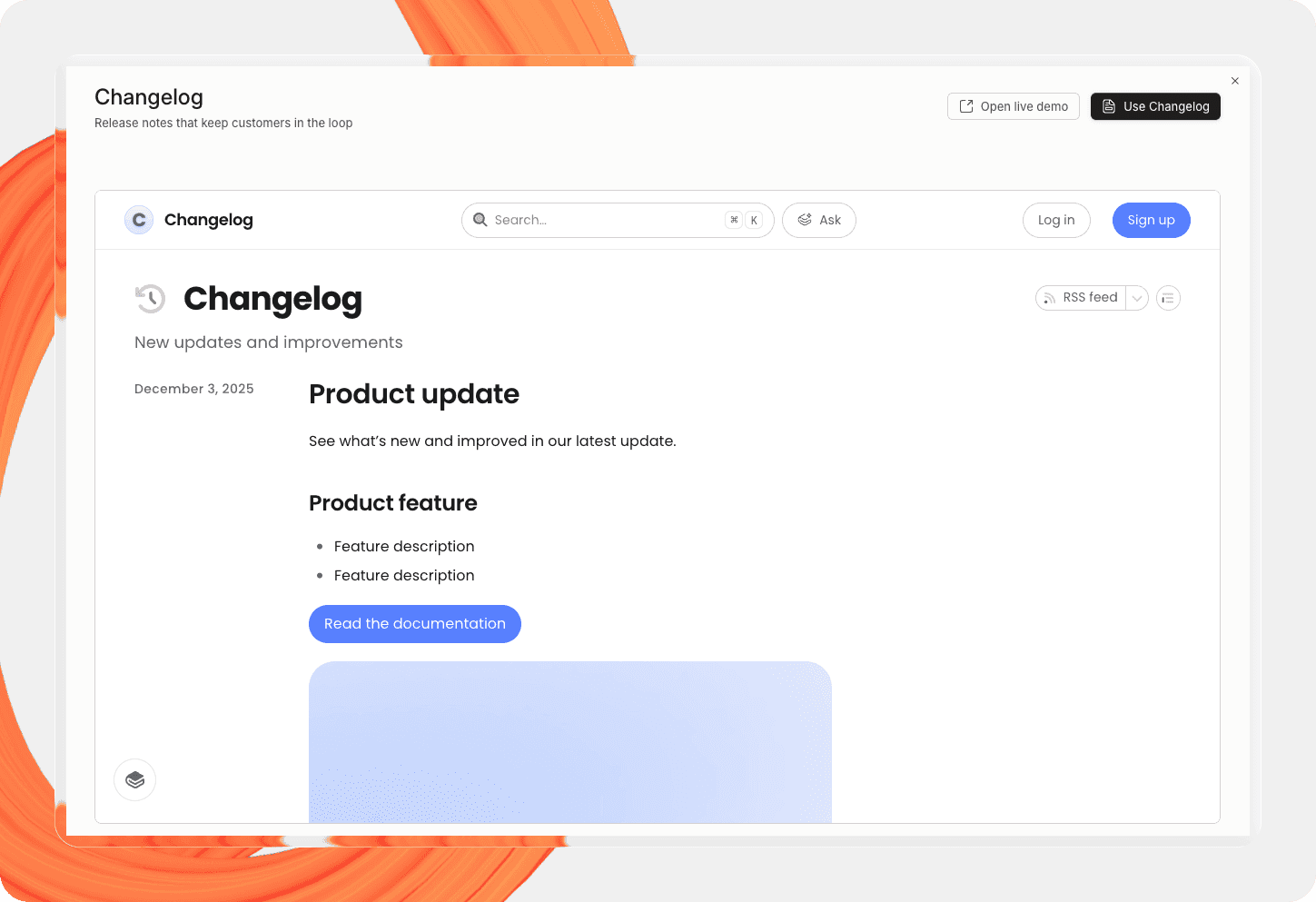
Changelog template
This changelog template gives you a simple way to share product updates, improvements, and fixes in one place using dedicated ‘Update’ blocks that contain a data, tags and content. It’s a strong starting point for release notes that keep customers informed and make it easy to track what changed over time.
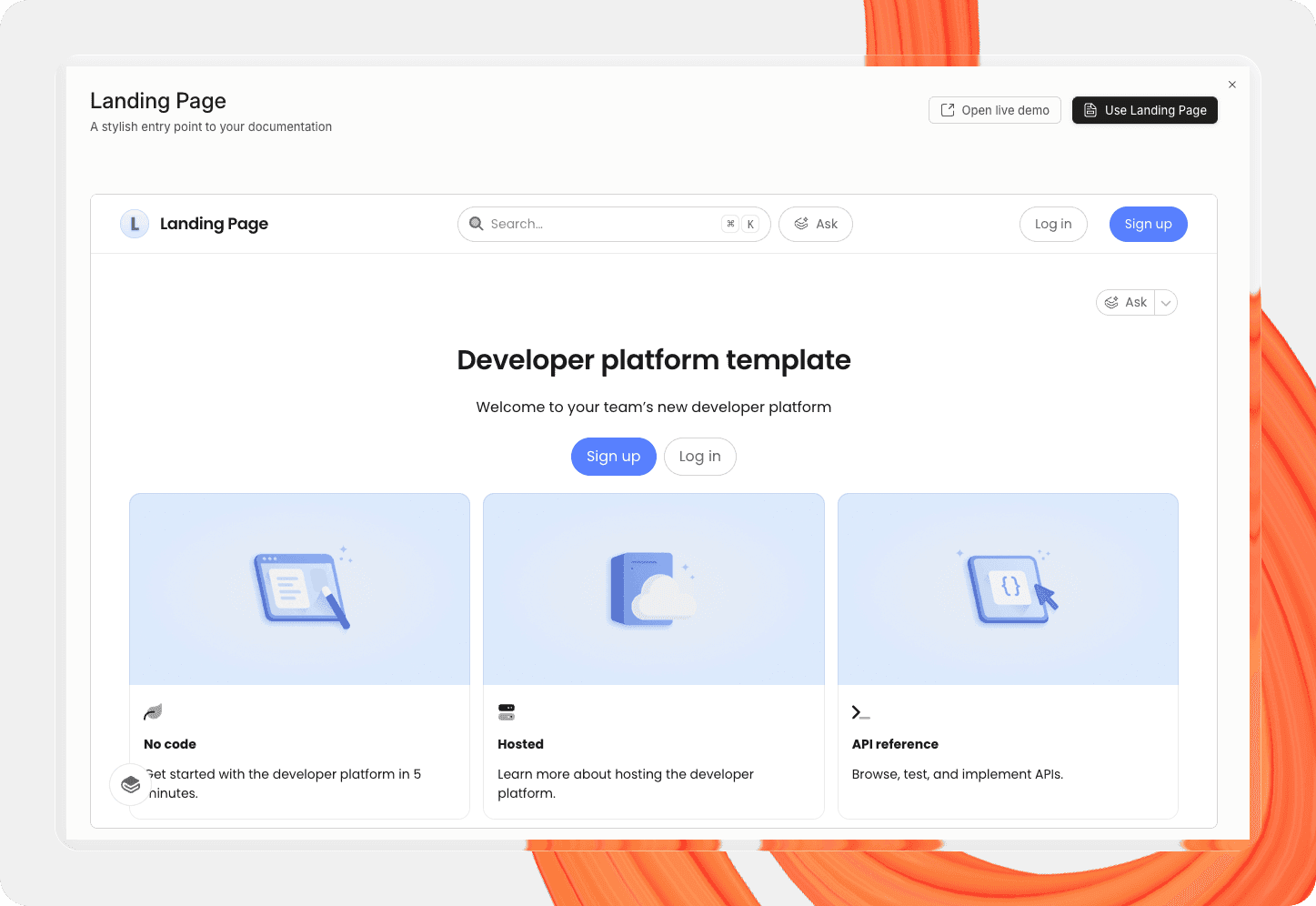
Docs landing page template
The docs landing page template helps you create a polished front door for your documentation. Use it to guide visitors to the right sections faster, highlight key resources in visual cards, and make your docs site easier to navigate from the start.
Technical documentation best practices
You can use this quick list of technical documentation best practices to make your docs easier to find, use, and maintain:
Lead with the answer – Put the core explanation near the top of the page, so people don’t have to search for the most important details.
Write for a specific audience – A setup guide for customers shouldn’t read like architecture documentation for engineers. Make sure the tone of every page matches its intended audience.
Keep one page focused on one topic – Avoid creating pages that try to explain everything at once — instead, point people to next steps using links.
Link related pages – Talking of links… signpost next steps at every stage so users don’t miss important content or have to start over.
Use descriptive headings – Clear headings improve scanning, AI-readability and SEO.
Prioritize examples over abstraction – Show what good looks like so customers understand when they’ve successfully completed their task.
Make troubleshooting easy to find – People often visit docs when something breaks, so make FAQs clear, accessible and easy to search.
Use consistent terminology – Don’t switch between different names for the same feature or concept.
Make your docs accessible – Add alt text to images, use a readable structure, and keep formatting scannable.
Review and update regularly – Stale documentation loses trust fast. Build docs updates into your product release process and carry out regular reviews.
Technical documentation FAQ
What are examples of technical documentation?
Technical documentation examples include product docs, API documentation, user guides, knowledge bases, PRDs, RFCs, architecture docs, troubleshooting guides, release notes, and source code documentation.
Who writes technical documentation?
Technical writers often own documentation strategy and structure. But in many cases, developers, product managers, support teams, designers, and subject matter experts also contribute important context and technical detail, and/or review updates before they goes live.
What makes for good technical documentation?
Good technical documentation is accurate, current, easy to scan, and written for a specific audience. It answers the main question quickly, then gives the reader enough detail to complete the task with confidence.
Let’s get started!
Ready to create better technical documentation? Keep this guide as a reference, or start with a template and build from there. If you’re looking for the best docs platform, give GitBook a try. It’s free to get started.
Want to see some great samples of technical documentation? Visit our Customers page — it’s packed with strong examples across many documentation styles.
→ Try GitBook for your documentation
→ Article: Technical writers don’t just write documentation. They build trust.
→ Guide: How to optimize your documentation for AI (without breaking it for humans)
Share



Read more
Tutorials & tips
Get the GitBook newsletter
Get the latest product news, useful resources and more in your inbox. 130k+ people read it every month.





Accurate docs. Better answers.
Your docs are already feeding AI. Are users getting the right answers or the wrong ones?
Accurate docs. Better answers.
Your docs are already feeding AI. Are users getting the right answers or the wrong ones?
Accurate docs. Better answers.
Your docs are already feeding AI. Are users getting the right answers or the wrong ones?
Product
Create & Publish
Solutions
Resources

© 2026 Copyright GitBook INC.
440 N Barranca Ave #7171, Covina, CA 91723, USA. EIN: 320502699
Get an AI summary




The State of Docs Report 2026
State of Docs brings together insights from documentation experts from across the industry
Product
Create & Publish
Solutions
Resources
© 2026 Copyright GitBook INC.
440 N Barranca Ave #7171, Covina, CA 91723, USA. EIN: 320502699
Get an AI summary
The State of Docs Report 2026
State of Docs brings together insights from documentation experts from across the industry

Product
Create & Publish
Solutions
Resources
© 2026 Copyright GitBook INC.
440 N Barranca Ave #7171, Covina, CA 91723, USA. EIN: 320502699
Get an AI summary
The State of Docs Report 2026
State of Docs brings together insights from documentation experts from across the industry